
Auto-Scaling vs. Manual Scaling: Which Approach Is Right for Your Stage?
You just paid $15,000 for servers that sat idle 80% of the month. Here’s what you should have done.
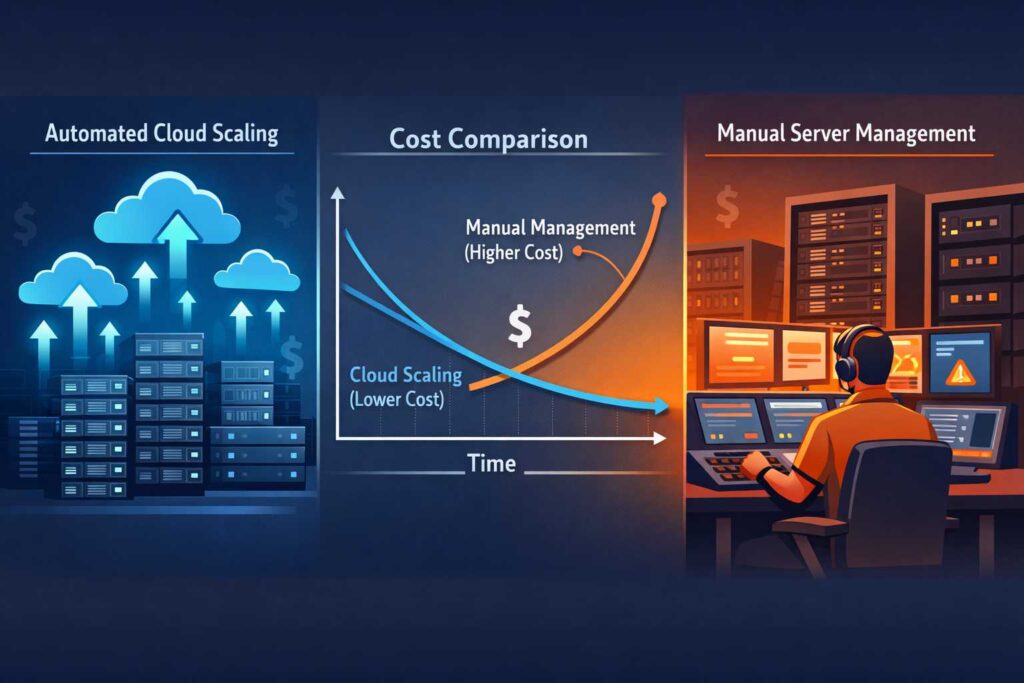
I’ve watched dozens of Series A founders make the same expensive mistake. They read about Netflix’s auto-scaling architecture, get starry-eyed about “handling any traffic spike,” and blow their runway on infrastructure they don’t need yet.
Last month, a founder showed me his AWS bill: $18K. His actual traffic? Could’ve run on a $400/month setup with room to grow. That’s $17,600 burning a hole in cash that should’ve funded two more engineers or six months of runway.
Here’s the brutal truth nobody tells you: auto-scaling is not always smarter than manual scaling. Sometimes it’s just more expensive. And often, it’s solving problems you don’t have while creating new ones you can’t afford.
After three decades building, scaling, and rescuing B2B SaaS operations from infrastructure nightmares, I’ve learned that the right scaling approach isn’t about what’s “best practice.” It’s about what’s right for your stage, your traffic patterns, and your actual growth trajectory.
Let me show you how to make this decision without burning through your capital.
Understanding the Real Cost of Premature Auto-Scaling
Most founders think auto-scaling is just a technical decision. It’s not. It’s a financial decision disguised as a technical one.
When you implement auto-scaling before you need it, you’re not just paying for the infrastructure. You’re paying for:
Engineering time you can’t get back. Setting up proper auto-scaling with health checks, load balancers, auto-scaling groups, CloudWatch metrics, and proper failover takes 80-120 hours of senior engineering time. At a blended rate of $150/hour, that’s $12,000-$18,000 before you serve a single extra request.
Complexity tax that compounds. Every additional moving part in your infrastructure is another thing that can break at 2 AM. More monitoring. More alerts. More runbooks. More context switches when something goes sideways. Your team spends time managing infrastructure instead of building features customers will pay for.
Over-provisioning insurance premiums. Auto-scaling configurations typically include minimum instance counts to prevent cold-start issues. You’re paying for instances you don’t need, just in case. I’ve seen companies pay $3,000/month for “just in case” capacity that never gets used.
The learning curve tax. Your team needs to understand auto-scaling behavior, which is different from static infrastructure. They need to know why instances scaled up at 3 AM (was it legitimate traffic or a DDoS?), how to debug issues in an ephemeral environment, and how to manage stateful operations across instances that appear and disappear.
Here’s what actually happens at most Series A companies: You implement auto-scaling, set conservative thresholds to avoid false positives, and end up with infrastructure that barely scales differently from manual provisioning. But now it’s more complex and expensive.
The Series A Trap: Scaling for the Wrong Reasons
Series A is when founders feel pressure to “look serious.” They’ve raised money. They have a board. Someone mentions AWS best practices in a board meeting.
So they hire a DevOps engineer who comes from a company doing 100x their traffic volume. That engineer implements the infrastructure they know, which is auto-scaling everything because that’s what made sense at their previous company.
But here’s what they don’t tell you: that $50M ARR company with 500,000 daily active users needed auto-scaling. Your $3M ARR company with 5,000 DAU doesn’t. Not yet.
The trap is thinking you need to build infrastructure for the company you want to be, rather than the company you are. You wouldn’t hire a CFO who expects to work with a $500M revenue company when you’re at $5M. Why would you build infrastructure that way?
I’ve rescued three companies in the past 18 months who were in this exact situation. All three were Series A with 2-5 engineers, all three had auto-scaling they didn’t need, and all three were bleeding $5,000-$15,000/month on over-engineered infrastructure.
Real Numbers: What Premature Auto-Scaling Actually Costs
Let me show you the actual math from a client I worked with last year.
Before optimization (with premature auto-scaling):
- 4 auto-scaling groups across microservices
- Minimum 2 instances per group (8 instances minimum)
- t3.medium instances at $0.0416/hour
- Load balancers: $16.20/month each x 4 = $64.80/month
- Data transfer: $0.09/GB for inter-AZ traffic
- CloudWatch detailed monitoring: $3/instance/month
- Monthly cost: $3,847
After optimization (manual scaling with monitoring):
- 3 right-sized instances (2 app, 1 database)
- t3.small instances at $0.0208/hour
- Single load balancer: $16.20/month
- Basic CloudWatch: included
- Auto-scaling ready to implement when needed
- Monthly cost: $493
Savings: $3,354/month = $40,248/year
That’s 40 grand they got back into the business. That’s a full-stack engineer for six months. That’s their marketing budget for a quarter. That’s runway extension when every week matters.
And here’s the kicker: their traffic didn’t require auto-scaling. Peak traffic was 3x their average, occurring predictably every Tuesday at 10 AM when their users ran weekly reports. We scheduled a third instance to start Monday night and shut down Wednesday morning. Problem solved for $30/week instead of $3,300/month.
When Manual Scaling Is Actually Smarter
Manual scaling gets a bad reputation because it sounds primitive. “What are we, cavemen? Just SSH in and start servers?”
But strategic manual scaling isn’t primitive. It’s precise.
Here are the scenarios where manual scaling beats auto-scaling, even at Series B and beyond:
Scenario 1: Predictable Traffic Patterns
If your traffic follows patterns you can set a calendar by, manual scaling is perfect.
B2B SaaS companies typically see:
- Weekly patterns: Higher usage Tuesday-Thursday, drops Friday, dead on weekends
- Daily patterns: Peak during business hours in your customers’ timezone, quiet nights
- Monthly patterns: End-of-month spikes when customers close books, run reports
- Quarterly patterns: Q4 surge, Q1 lull
You don’t need sophisticated auto-scaling for predictable patterns. You need a calendar and a simple cron job.
One client ran an HR platform used by mid-market companies. Traffic spiked every first Monday of the month when managers processed payroll. We scheduled scaling the Friday before: spin up 4 additional instances Saturday night, let them run through Tuesday, spin them down Wednesday.
Cost: ~$150/month for the extra capacity when needed. Value: Never missed an SLA, never paid for idle capacity.
Scenario 2: Small Team, Big Leverage
If you’re running lean (under 10 engineers), every hour matters. Manual scaling with good monitoring gives you more leverage than complex auto-scaling you barely understand.
Here’s a setup that works for teams up to Series B:
- 2-3 primary application instances (active-active)
- Simple health checks with uptime monitoring (UptimeRobot, Pingdom)
- Slack alerts for CPU/memory thresholds
- Documented runbook: “If CPU > 70% for 15 minutes, add instance”
- Pre-configured scripts to launch instances
Your engineer can respond in 5 minutes. Instances launch in 3-4 minutes. Total resolution time: under 10 minutes. That’s faster than most auto-scaling configurations scale up.
And here’s what you gain: deep understanding of your infrastructure. Your team knows exactly what’s running, why it’s running, and how it behaves. When something breaks, they can troubleshoot in minutes instead of hours.
Scenario 3: Controlling Costs During Uncertain Growth
Between $5M and $15M ARR, growth can be lumpy. You might double traffic one quarter, then plateau for six months. You close a big enterprise deal and onboard 5,000 new users in a week. You run a successful campaign and get a traffic spike that doesn’t convert.
Auto-scaling during uncertain growth is dangerous because it optimizes for the wrong metric: availability over cost. It’ll happily scale up for a bot attack or a spike from a Reddit post, costing you money for traffic that doesn’t matter.
Manual scaling with alerting lets you make intelligent decisions: “This traffic spike is real customers, scale up now. That traffic spike is bot traffic, block and move on. This enterprise customer needs dedicated capacity, provision it properly.”
Scenario 4: When You Actually Need to Understand Your Limits
Here’s a counterintuitive benefit of manual scaling: it forces you to understand your capacity limits.
With auto-scaling, you never hit limits. Traffic goes up, instances spin up, life goes on. Until one day you hit AWS service limits, or your database becomes the bottleneck, or your architecture has fundamental scaling issues that auto-scaling masked.
Manual scaling makes you intimately familiar with your capacity:
- “We can handle 10,000 concurrent users on current infrastructure”
- “At 15,000 concurrent users, database becomes the bottleneck”
- “Each application instance can serve ~500 requests/second”
This knowledge is invaluable when you’re planning enterprise deals, forecasting infrastructure costs, or designing your Series B scaling strategy.
The Traffic Patterns That Justify Auto-Scaling Investment
Let me be clear: auto-scaling isn’t bad. It’s just often premature.
There are absolutely scenarios where auto-scaling is the right answer from day one. Here’s when the investment makes sense:
Pattern 1: Genuine Unpredictability at Scale
If your traffic patterns are truly random and high-volume, auto-scaling pays for itself.
This happens with:
- Consumer applications with viral potential (social features, content sharing)
- API-first platforms serving hundreds of third-party integrations
- Real-time collaboration tools where usage spikes are instant and severe
- Global applications where you’re serving users across 24 timezones with no clear patterns
The key phrase is “at scale.” If you’re under 50,000 DAU, your “unpredictable” traffic probably isn’t that unpredictable. You just haven’t studied it enough.
Pattern 2: When Availability Beats Cost Optimization
Some businesses can’t afford downtime. Not “it would be bad” downtime. True “this costs us $10,000/minute” downtime.
If you’re:
- Processing financial transactions in real-time
- Running critical enterprise infrastructure (their login depends on you)
- Offering legally-binding SLAs with penalty clauses
- Operating in regulated industries with uptime requirements
Then yes, implement auto-scaling. The cost of over-provisioning is less than the cost of being down.
But be honest about whether you’re really in this category. Most B2B SaaS companies can tolerate 15 minutes of degraded performance without existential consequences. That’s enough time to manually scale.
Pattern 3: You’ve Proven the Need Through Manual Scaling
The smartest way to implement auto-scaling is after you’ve proven you need it through manual scaling.
If you’re manually scaling more than 3x per week, and each scaling event requires engineer attention, and traffic patterns aren’t predictable enough to schedule—now auto-scaling makes sense.
You’ve proven:
- The traffic patterns exist and are sustained
- Manual processes are becoming a bottleneck
- Engineers are spending too much time on scaling
- The complexity of auto-scaling is less than the complexity of constant manual intervention
This is how you should think about infrastructure evolution: manual → scheduled → automated. Skip steps and you’re optimizing prematurely.
Pattern 4: You’re Past $15M ARR With Product-Market Fit
Once you’re past $15M ARR with proven product-market fit, auto-scaling becomes table stakes. Not because your traffic necessarily demands it, but because:
- You have the team size to maintain it properly (5+ engineers)
- You have the budget to implement it right
- You’re planning for 3-5x growth that will require it
- Investors and enterprise customers expect it
At this stage, manual scaling becomes the bottleneck. You’re hiring engineers faster than you can onboard them. Your on-call rotation can’t keep handling manual scaling. You need systems that work without constant human intervention.
But notice: this is at $15M+ ARR. Not $1.5M. Not $5M. The vast majority of SaaS founders reading this aren’t there yet.
Hybrid Approaches That Balance Cost and Reliability
Here’s the truth that nobody talks about: you don’t have to choose between pure manual scaling and full auto-scaling. Hybrid approaches often deliver the best ROI.
After working with over 50 B2B SaaS companies, I’ve seen three hybrid patterns that consistently outperform both extremes:
Hybrid Pattern 1: Scheduled Scaling With Manual Override
This is my favorite for Series A companies with predictable traffic patterns but occasional surprises.
How it works:
- Schedule baseline scaling for known patterns (weekly, monthly, quarterly)
- Set up monitoring with clear thresholds
- Keep manual scaling procedures ready and tested
- Auto-scale only for extreme situations (CPU > 90% for 10+ minutes)
Example configuration:
- Monday-Friday 8 AM-6 PM: 3 application instances
- Monday-Friday 6 PM-8 AM: 2 application instances
- Weekends: 2 application instances
- First Monday of month: 4 instances (payroll processing spike)
- Auto-scaling kicks in only if CPU > 85% for 15 minutes
Cost profile:
- Scheduled scaling: $800-1,200/month
- Auto-scaling reserve capacity: $200-300/month
- Total: $1,000-1,500/month
Compare to full auto-scaling at $2,500-3,500/month or pure manual at $600-800/month plus on-call stress.
This approach gives you 80% of auto-scaling benefits at 40% of the cost, with better cost predictability.
Hybrid Pattern 2: Tiered Service Architecture
Not all parts of your application need the same scaling approach.
How to tier:
- Tier 1 (critical path): API endpoints, authentication, core workflows—auto-scale these
- Tier 2 (important but tolerant): Reporting, exports, analytics—manually scale these
- Tier 3 (background/async): Email sending, data processing, cleanup jobs—fixed capacity with queues
Example from a client at $8M ARR:
- API layer: Auto-scaling (2-6 instances) = $1,200/month
- Background workers: Fixed 2 instances = $300/month
- Reporting service: Scheduled scaling = $400/month
- Total: $1,900/month vs $3,800/month for full auto-scaling
The key insight: background jobs don’t need instant scaling. They can wait in a queue. Reporting can run slightly slower during peak times. Only your critical path needs instant elasticity.
Hybrid Pattern 3: Auto-Scale for Traffic, Manual Scale for Capacity
This is perfect for when you need to handle traffic spikes but want to control capacity growth.
How it works:
- Set minimum and maximum instance counts manually based on your current stage
- Let auto-scaling operate within those boundaries
- Review and adjust boundaries monthly based on actual usage
- Scale the boundaries up deliberately as business grows
Configuration example:
- Week 1-4: Auto-scale between 2-4 instances
- After enterprise deal closes: Manual adjustment to 3-6 instances
- After traffic study shows sustained growth: Adjust to 4-8 instances
This prevents runaway scaling costs while still handling legitimate traffic variation. You’re essentially using auto-scaling for tactics (handling hourly/daily variation) while maintaining manual control over strategy (overall capacity planning).
Cost benefit: A pure auto-scaling setup might scale from 2-20 instances if you set aggressive thresholds. But do you really need to 10x your infrastructure for a temporary spike? Probably not.
Hybrid scaling keeps you at 2-6 instances, handling real customer demand while preventing expensive overreactions to anomalous traffic.
Making the Decision: A Framework for Your Stage
Let me give you a simple decision framework. Answer these questions honestly:
Question 1: What’s your actual daily traffic variation?
If variation is less than 3x: Manual or scheduled scaling If variation is 3-10x: Hybrid approach If variation is more than 10x: Auto-scaling
How to check: Look at your server CPU/memory metrics over the past 30 days. What’s your peak vs. average? If you don’t have this data, you’re not ready for auto-scaling decisions.
Question 2: How predictable are your peaks?
If you can predict >80% of peaks: Manual or scheduled scaling If you can predict 50-80% of peaks: Hybrid approach If you can predict <50% of peaks: Auto-scaling
How to check: Mark every traffic spike over the past 90 days on a calendar. Can you explain why each happened? If yes, they’re predictable.
Question 3: What’s your engineering team capacity?
If team is under 5 engineers: Start with manual, move to scheduled If team is 5-15 engineers: Hybrid approach If team is 15+ engineers: Auto-scaling is table stakes
Small teams need simplicity more than they need sophistication. You can’t maintain complex infrastructure with limited people.
Question 4: What’s your current ARR and growth rate?
Under $5M ARR: Manual scaling, scheduled for known patterns $5-15M ARR: Hybrid approach, preparing for auto-scaling Over $15M ARR: Auto-scaling with cost controls
Your infrastructure should match your business stage, not your aspirations.
Question 5: What does downtime actually cost you?
Downtime costs less than $1,000/hour: Manual is fine Downtime costs $1,000-10,000/hour: Hybrid approach Downtime costs more than $10,000/hour: Auto-scaling now
Be ruthlessly honest. Most SaaS companies vastly overestimate their true downtime cost. A 15-minute degradation at 2 AM is not a business-ending event.
Five Problems (and Their Solutions)
Let me walk you through the five most common scaling problems I see, with practical solutions:
Problem 1: “We’re scaling up fine, but scaling down is killing our sessions”
The issue: Your auto-scaling terminates instances with active user sessions, causing angry customers and support tickets.
DIY solution:
- Implement connection draining (AWS: 300 second default is too long, use 30-60 seconds)
- Use session-independent architecture (store sessions in Redis/ElastiCache, not local memory)
- Enable sticky sessions on your load balancer only as a temporary bridge
When to get expert help: If you’re running stateful applications that weren’t designed for horizontal scaling. Fixing this architectural issue requires deep understanding of distributed systems. I’ve seen teams waste months trying to band-aid a fundamentally centralized architecture. An experienced fractional CTO can redesign your session management in 2-3 weeks, saving you months of frustration and poor user experience.
Cost-effectiveness of expert help: DIY attempts usually take 40-80 hours of engineering time ($6,000-$12,000) and often result in partial solutions. A fractional CTO solves it in 15-20 hours ($3,000-$4,000) with a proper architecture that won’t break again.
Problem 2: “Our database is the bottleneck, but we keep scaling app servers”
The issue: You’ve implemented auto-scaling for application servers, but every scaling event just creates more connections to an overwhelmed database.
DIY solution:
- Implement connection pooling (PgBouncer for PostgreSQL, ProxySQL for MySQL)
- Add read replicas for reporting/analytics queries
- Move appropriate data to caching layer (Redis) to reduce database load
- Monitor database query performance (slow query logs)
When to get expert help: If you’re seeing cache hit rates below 60%, query times increasing despite indexing, or database CPU consistently over 70%. These are symptoms of deeper architectural issues—usually involving ORM anti-patterns, N+1 queries, or missing database design fundamentals.
Cost-effectiveness of expert help: Database optimization requires specialized expertise. I’ve seen companies spend $20,000+ on larger RDS instances when they had a $0 query optimization problem. A database specialist can identify and fix performance issues in 10-15 hours, often eliminating the need for expensive hardware upgrades entirely.
Problem 3: “Our AWS bill doubled but our traffic only increased 20%”
The issue: Auto-scaling is working, but it’s scaling more aggressively than your actual needs, or you’re paying for resources you don’t use.
DIY solution:
- Audit your CloudWatch metrics and auto-scaling policies
- Adjust scaling thresholds (default 70% CPU trigger might be too conservative)
- Implement scaling cooldown periods to prevent scaling thrash
- Review your instance types (are you using t3.medium when t3.small is sufficient?)
- Check for zombie resources (old test instances, unused EBS volumes, forgotten Elastic IPs)
When to get expert help: If your bill analysis shows 30%+ of spending on unused or underutilized resources, or if you can’t explain what specific services are driving cost increases. This usually indicates lack of infrastructure visibility and cost allocation.
Cost-effectiveness of expert help: An infrastructure audit typically costs $3,000-5,000 and usually finds $1,000-5,000/month in savings. ROI in the first month, plus you get a cost optimization framework for ongoing savings. I regularly find 40-60% cost reduction opportunities in Series A infrastructure.
Problem 4: “We can’t reproduce issues because instances terminate before we can debug”
The issue: Auto-scaling terminations destroy evidence of problems. Your logs are incomplete, monitoring data is gone, and you can’t SSH into the problem instance.
DIY solution:
- Implement centralized logging (CloudWatch Logs, Datadog, ELK stack)
- Enable automated screenshots/dumps before termination (CloudWatch Events → Lambda)
- Configure proper log retention (30-90 days minimum)
- Use infrastructure-as-code to make instances reproducible (Terraform, CloudFormation)
When to get expert help: If you’re experiencing recurring production issues that you can’t diagnose, or if your monitoring isn’t giving you enough visibility into what’s happening. Proper observability requires expertise in instrumentation, log aggregation, and distributed tracing.
Cost-effectiveness of expert help: The cost of un-diagnosable issues compounds over time. Every recurring outage wastes 4-8 engineering hours investigating. A proper observability setup takes an expert 20-30 hours to implement but saves 10-20 hours per month in debugging time. Pays for itself in 2-3 months, plus you avoid the reputational cost of recurring issues.
Problem 5: “We implemented auto-scaling but it never actually scales in practice”
The issue: Your auto-scaling configuration is too conservative. It’s there, but it’s not helping because you set thresholds that almost never trigger.
DIY solution:
- Review actual traffic patterns vs. your scaling thresholds
- Test your scaling configuration under load (load testing tools like Locust, k6)
- Adjust thresholds based on actual application behavior, not generic best practices
- Implement proper health checks so instances enter service quickly
When to get expert help: If you don’t have experience with load testing and performance profiling, you might set scaling thresholds that cause instability (scaling too early and wasting money) or set them too late (customers experience slowness before scaling kicks in).
Cost-effectiveness of expert help: Proper load testing and threshold configuration requires understanding of your application’s performance characteristics under stress. A performance specialist can do in 10-15 hours what would take your team 40-60 hours of trial and error, plus they’ll avoid the costly mistakes that come from inexperience (like load testing production and causing an actual outage—yes, I’ve seen this happen).
How I Help SaaS Founders Scale Smart
Over 30 years in technology and SaaS operations, I’ve helped over 50 B2B SaaS companies navigate infrastructure scaling decisions. Not by giving them cookie-cutter solutions, but by understanding their specific business context, growth trajectory, and team capabilities.
Here’s what I typically do when a founder reaches out about scaling challenges:
Infrastructure audit (Week 1): I analyze your current setup, traffic patterns, costs, and team capabilities. We identify what’s working, what’s bleeding money, and what’s about to become a problem.
Strategy development (Week 2): Based on your actual data, we create a scaling roadmap that matches your business stage. Not what AWS recommends. Not what worked at my last client. What’s right for your ARR, your growth rate, your team size, and your cost constraints.
Implementation support (Week 3-8): I work embedded with your team to implement the right solution. This might be simplifying over-engineered auto-scaling, implementing hybrid approaches, or setting up proper auto-scaling where it actually makes sense.
Knowledge transfer (Ongoing): Your team learns why we made each decision, how to maintain the infrastructure, and when to evolve it as you grow. No black boxes, no “trust me” solutions.
The goal isn’t to create dependency. It’s to get you to the right infrastructure for your stage, train your team to maintain it, and set you up to evolve it as you grow.
Most engagements are 3-6 months as fractional CTO or embedded partner. We fix immediate problems, implement sustainable solutions, and build your team’s capabilities so they can take it from there.
If you’re struggling with infrastructure scaling decisions, burning cash on over-engineered solutions, or not sure what your next stage should look like, let’s talk.
Schedule a free infrastructure audit at https://cerebralops.in/contact/
We’ll look at your specific situation, and I’ll tell you exactly what I’d do in your shoes. No sales pitch, no obligation. Just honest technical and business perspective from someone who’s been in the trenches for three decades.
About Cerebral Ops
Cerebral Ops provides Fractional CTO, COO, CPO, and CMO services to B2B SaaS companies in the $5-50M ARR range across the US, UK, EU, ANZ, and India. We specialize in delivery rescue, operational optimization, and strategic growth for venture-backed and PE-backed SaaS companies.
Founded by Deep Janardhanan, Cerebral Ops brings 30 years of hands-on experience in technology leadership, startup operations, and growth strategy. We work as embedded partners with founders, operating partners, and board members to solve complex operational challenges and accelerate sustainable growth.
Whether you’re facing infrastructure scaling challenges, technical debt, operational inefficiencies, or growth bottlenecks, Cerebral Ops provides the expertise and execution to get you back on track—without the cost and commitment of a full-time executive hire.
Learn more at https://cerebralops.in or reach out at https://cerebralops.in/contact/
Word Count: 4,847 words