
Why Your Website Doesn’t Convert — Even If You Have Traffic

You’ve invested in SEO. Your Google Ads are running. Social media is bringing visitors. The traffic numbers look impressive on your analytics dashboard.
But here’s the frustrating reality: visitors arrive, browse for a few seconds, and leave without taking action. No form submissions. No purchases. No calls. Just empty sessions that drain your marketing budget.
If this sounds familiar, you’re not alone. The average website conversion rate hovers around 2-3%, meaning 97% of your hard-earned traffic simply walks away. But here’s the thing—most business owners assume their low conversions are due to “not enough traffic” when the real culprits are hidden issues lurking beneath the surface.
Let’s uncover the 12 conversion killers that are costing you customers right now—and more importantly, how to fix them.
1. Your Website Is Invisibly Broken on Mobile Devices
The Hidden Issue: Your site looks perfect on your desktop, but on a 375px-width mobile screen (iPhone SE, for instance), the layout is squashed, buttons are unclickable, or forms are cut off. Overlooked problems like broken layouts on smaller devices and mega menus that cover critical content frequently escape detection during standard testing.
Why It Kills Conversions: With mobile devices accounting for roughly 63% of organic search visits, a broken mobile experience means you’re losing the majority of your potential customers before they even see your offer.
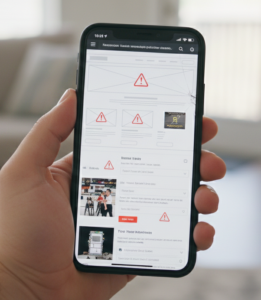
The Fix: Test your website on actual devices with different screen widths (not just responsive mode in Chrome). Use tools like BrowserStack to check real device rendering. Pay special attention to:
- Form fields and validation messages
- CTA button placement and size
- Navigation menus
- Image galleries on product pages
2. Hidden Costs That Ambush Users at Checkout
The Hidden Issue: Your pricing looks competitive until users reach checkout and discover shipping fees, processing charges, or mandatory add-ons they didn’t expect. Customers often remain unaware of hidden expenses like shipping costs and return charges until late in the purchase process, which leads them to abandon their carts.
Why It Kills Conversions: Price transparency is a trust signal. Surprise costs feel like deception, triggering immediate abandonment. Studies show unexpected shipping fees are among the top reasons for cart abandonment.
The Fix: Be upfront about all costs. If shipping isn’t free, display estimated costs on product pages. Consider building shipping costs into your pricing structure rather than adding them later. If you must charge shipping, explain why (fast delivery, careful packaging, etc.) to justify the cost.
3. Cookie Banners and Pop-ups That Block Your CTA
The Hidden Issue: Your carefully designed call-to-action button is perfect—except visitors can’t click it because a cookie consent banner, chat widget, or email popup is covering it. Cookie banners that block call-to-action buttons or live chat features represent common hidden issues that significantly impact user experience.
Why It Kills Conversions: Users have seconds of patience. When they can’t immediately interact with your key conversion element, they assume your site is broken and leave.
The Fix: Review every page on both desktop and mobile to ensure banners, popups, and sticky elements don’t obstruct CTAs. Delay email capture popups until after users have interacted with your content. Make cookie banners compact and dismissible with a single tap.
4. Website Speed That Bleeds Conversions
The Hidden Issue: Your site “feels” fast to you because you visit it regularly and everything is cached. But first-time visitors wait 5-8 seconds for pages to load, and each extra second costs you dearly.
Why It Kills Conversions: Conversion rates decrease by approximately four percent for every additional second a page requires to load. Visitors bouncing from slow pages never see your value proposition, no matter how compelling it is.
The Fix: Run your site through Google PageSpeed Insights and GTMetrix. Focus on:
- Compressing images (use tools like ImageOptim)
- Enabling browser caching
- Minimizing CSS and JavaScript
- Using a Content Delivery Network (CDN)
- Lazy loading images below the fold
Aim for load times under 3 seconds on mobile.
5. Missing or Weak Trust Signals
The Hidden Issue: You’re asking visitors to share their email, credit card, or personal information, but your site lacks the credibility markers that make people feel safe. No security badges, no customer reviews, no recognizable logos, no proof you’re legitimate.

Why It Kills Conversions: Putting potential customers at ease through trust signals helps increase conversion rates. Without visible trust indicators, visitors assume the risk isn’t worth it and leave to find a more credible alternative.
The Fix: Add these trust signals strategically:
- Security badges near forms and checkout (SSL certificate, payment processor logos)
- Customer testimonials with real names and photos
- Client logos if you work with recognizable brands
- Review ratings from Trustpilot or Google
- Money-back guarantees or return policies
- Live chat availability or visible customer support options
- Business address and phone number in your footer
Place trust signals near conversion points where risk perception is highest.
6. Forms That Ask for Too Much, Too Soon
The Hidden Issue: Your contact form demands a phone number, company size, job title, budget, timeline, and essay-length problem description. Your checkout requires account creation before purchase. Each field increases friction exponentially.
Why It Kills Conversions: Every form field is a barrier. Research shows that reducing form fields from 11 to 4 can increase conversions by up to 120%. Users want the path of least resistance, especially when they don’t yet trust you.
The Fix:
- For lead generation forms, ask for name and email only—get additional information later
- Offer guest checkout options
- Use progressive profiling (gather info over multiple interactions)
- Make optional fields clearly optional
- Implement autofill-friendly field attributes
- Show field validation in real-time (not just on submit)
7. Weak or Confusing Value Proposition
The Hidden Issue: Visitors land on your homepage and can’t immediately understand what you do, who you serve, or why they should care. Your headline is clever but vague. Your copy is filled with industry jargon or talks about “solutions” without specifying problems.
Why It Kills Conversions: A website’s value proposition ranks among its most crucial conversion drivers. Users make snap judgments in 3-5 seconds. If your value proposition doesn’t resonate immediately, they bounce to a competitor who communicates more clearly.
The Fix: Your above-the-fold content should answer three questions within seconds:
- What do you offer? (specific, not generic)
- Who is it for? (target audience clarity)
- What problem does it solve? (tangible benefit)
Test different value propositions through A/B testing. Use customer language, not corporate speak. Show outcomes, not just features.
8. Limited Payment Options That Exclude Buyers
The Hidden Issue: You only accept credit cards when potential customers want to use PayPal, Apple Pay, Google Pay, or buy-now-pay-later services like Klarna. When e-commerce sites limit payment methods, genuine customers often switch to competitors, which increases cart abandonment rates.
Why It Kills Conversions: Different demographics prefer different payment methods. Younger buyers love digital wallets. B2B buyers often need purchase orders or invoice options. International customers may prefer local payment methods.
The Fix: Offer multiple payment options based on your target audience. Display accepted payment logos prominently. Ensure your payment processor is secure and trustworthy. For higher-ticket items, consider payment plans or financing options.
9. Poor Error Handling That Frustrates Users
The Hidden Issue: When users make a mistake filling out your form, they receive vague error messages, the page reloads and clears all their data, or error text appears in tiny red font that’s easy to miss. Unclear or difficult to understand field error validation in checkout or signup processes represents a common website issue.
Why It Kills Conversions: Nothing kills the conversion mood faster than frustration. Users who encounter poor error handling feel the transaction is too difficult and abandon the process entirely.
The Fix:
- Show inline validation as users type
- Use clear, specific error messages (“Email address should include @” not “Invalid input”)
- Highlight problem fields visually
- Preserve user data when errors occur—never make them re-enter everything
- Provide helpful hints near complex fields (password requirements, phone number format)
10. Distracting Design Elements That Pull Focus
The Hidden Issue: Your website features fancy animations, parallax scrolling effects, auto-playing videos, and excessive movement that looks impressive but pulls attention away from your core message and CTAs. Interactive elements with significant motion and parallax scrolling effects attract attention in ways that diminish control for visitors and distract from persuasive copywriting.
Why It Kills Conversions: While modern design trends can look sophisticated, they often prioritize aesthetics over functionality. Eye-tracking studies show users focus on moving elements—which means they’re not reading your value proposition or seeing your CTA.
The Fix: Audit your design for conversion optimization:
- Remove auto-playing content
- Limit animations to micro-interactions that guide users (hover states, button feedback)
- Keep attention focused on key conversion elements
- Use white space strategically
- Ensure every design element serves a purpose beyond “looking cool”
Test simplified versions against your current design—you might be surprised which converts better. https://www.nngroup.com/ offers articles on usability research.
11. Non-Existent or Confusing Navigation
The Hidden Issue: Users can’t figure out how to find your pricing, can’t access their cart, or get lost in a mega-menu with too many options. Or conversely, your minimalist navigation hides essential pages behind a hamburger menu even on desktop.
Why It Kills Conversions: Confusing navigation represents a specific obstacle that prevents conversions. When users can’t easily navigate to the information they need, they give up rather than hunt for it.
The Fix:
- Make key pages (pricing, products, contact) immediately accessible
- Limit top-level navigation to 5-7 items
- Use clear, descriptive labels (not creative copy)
- Add breadcrumbs for deep site structures
- Include a search function for content-heavy sites
- Show a clear path to cart/checkout on ecommerce sites
- Make the phone number or contact button prominent
12. Missing Personalization and Context
The Hidden Issue: Every visitor sees the same generic experience regardless of where they came from, what they’ve viewed before, or what their needs might be. Your Google Ads traffic from “emergency plumbing repair” lands on your general homepage instead of an emergency service page.
Why It Kills Conversions: Users expect relevance. When ad promises don’t match landing page content, or when returning visitors see the same generic message as first-timers, conversion rates suffer significantly.
The Fix:
- Create dedicated landing pages for each ad campaign
- Use dynamic content to personalize for returning visitors
- Segment traffic by source and show relevant messaging
- Implement exit-intent offers tailored to the page content
- Use retargeting with specific value props for cart abandoners
- Show recently viewed items to returning visitors
The Bottom Line: Hidden Issues Are Costing You Money Every Day
These 12 conversion killers are silently sabotaging your business. The traffic you’re paying for is being wasted because visitors encounter friction, confusion, or broken experiences you didn’t even know existed.
The good news? These issues are fixable. Most require no additional traffic spend—just strategic optimization based on real user behavior.
But here’s the challenge: you’re too close to your own website to spot these issues objectively. You know where everything is, how everything works, and what you mean by every headline. Your visitors don’t have that advantage.
Get a Professional Website Audit
Want to know exactly what’s broken on your site? We offer comprehensive website audits that uncover every conversion barrier holding your business back.
Our audit includes:
- Technical Analysis: Mobile responsiveness, page speed, broken elements
- Conversion Optimization Review: Forms, CTAs, trust signals, user flow
- Design & UX Assessment: Navigation, layout, visual hierarchy
- Content Evaluation: Value proposition clarity, messaging, SEO alignment
- Actionable Recommendations: Prioritized fixes with expected impact
We’ll show you exactly what’s costing you conversions—and provide a roadmap to fix it.
Schedule Your Website Audit Today →
Stop guessing why your website doesn’t convert. Get data-driven insights that turn traffic into customers.
At Cerebral Ops, we help startups and small businesses resolve their growth problems through technology, marketing, and operations solutions. Your website should be your best salesperson—let’s make sure it’s working for you, not against you.